

BuildPaste - Instant Structures
- ⬇ 369K downloads (as reported by Modrinth)
- ♥ 468 followers
- License: LicenseRef-All-Rights-Reserved
- Updated:
- Loaders: bukkit, fabric, forge, neoforge, paper, spigot
<img alt="Showcase of the Build Placer" src="https://firebasestorage.googleapis.com/v0/b/buildpastemod/o/Showcase2optimized.gif?alt=media&token=b401dac9-181d-44fc-99f2-773161db027c"</img
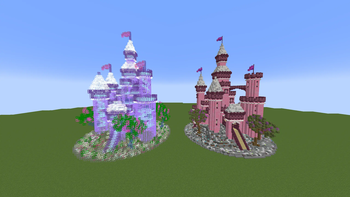
15,000+ unique structures ready to be placed in your world
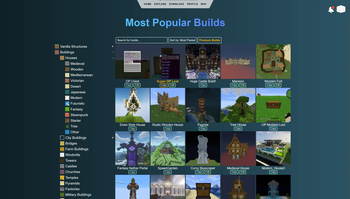
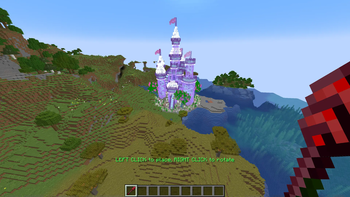
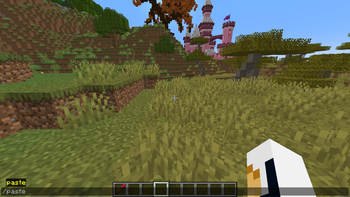
Houses, Castles, Towers, Statues, Mansions, Redstone Constructions and many more categories are all available to explore on buildpaste.net. All builds can be easily placed in your world, either by using the Build Placer item or by using the simple /paste command. The builds load instantly and can be undoed if necessary
Note that the Fabric version supports the Build Placer only since version 26.1.2.
A new era of schematics
This mod introduces a new way of using schematics, or in this case 'builds'. The hassle of downloading a schematic, putting it into the correct schematics folder and finally figuring out how to paste it properly is now history. Simply select a build on the website and paste it instantly using the /paste command, or use the Build Placer to preview where to place it. All builds are stored in a database and load instantly, and you can even upload your own structures for anyone to use!
Upload your own structures
If you want to you can also participate in the community and upload your own structures. Or, if you don't want to share it with everyone, you can share it with your friend by sending them the unique id or the link of one of your creations. When you publish a build, others can also give you feedback through comments.
How to get started
Getting started with BuildPaste is easy. You can use BuildPaste with or without an account, but it’s more convenient with an account because copying and pasting builds is much easier and you can also upload your own structures. To start, sign in to buildpaste.net and then add your Minecraft name to your profile. After that, you can copy a build and type /paste and it will paste the build right in front of you, or you can use the Build Placer right away. You can also watch this short YouTube tutorial
<iframe width="560" height="315" src="https://www.youtube-nocookie.com/embed/f1W8GQLLjd4" title="YouTube video player" frameborder="0" allow="accelerometer; autoplay; clipboard-write; encrypted-media; gyroscope; picture-in-picture; web-share" allowfullscreen</iframe
<iframe width="560" height="315" src="https://www.youtube-nocookie.com/embed/MNteeYIwubQ"…
Popular Plugins
 VeinMiner
 Simple Voice Chat
 Let Me Despawn
 Chunky
 VeinMiner Enchantment
 JourneyMap
Minecraft Plugins
Discover high-performance server plugins for Paper, Spigot, Purpur, Velocity, and Sponge. Stage plugins into organized server folders and export instantly.
Arata Inlooker · Socials & Direct Contact
Direct Messages & Inquiries Accepted • Official Verified Channels