

Alpha Piscium
- ⬇ 368.6K downloads (as reported by Modrinth)
- ♥ 236 followers
- License: GNU General Public License v3.0 only
- Updated:
- Loaders: iris
Alpha Piscium
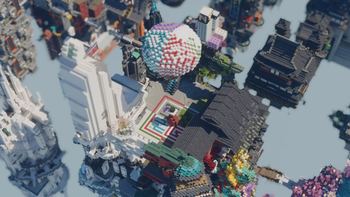
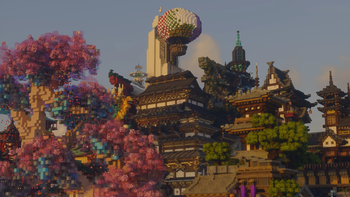
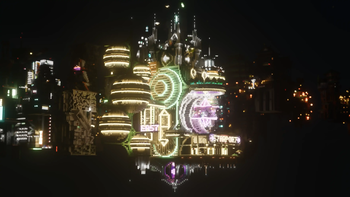
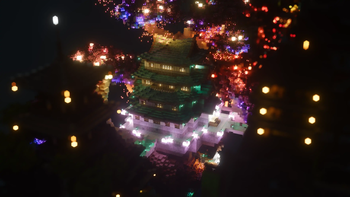
High-quality realistic Minecraft shaderpack featuring global illumination, volumetric clouds, atmospheric scattering, and stunning visual effects.
Official Website link: https://alphapiscium.org/ \
Discord server link: https://discord.gg/E2Uq2MmHgq
<img alt="Alpha Piscium" src="https://github.com/user-attachments/assets/bab05ffa-9c46-4f9b-a69c-94bc6c82f3d5" /
Features
- Real-time Global Illumination
- Reservoir-based SpatioTemporal Importance Resampling (ReSTIR) based Screen-Space Global Illumination
- ReBLUR based denoising
- Realistic, real-time, and fast Atmospheric Scattering
- Unreal Engine Sky Atmosphere Rendering Technique
- Epipolar Sampling
- Real-time Volumetric Clouds
- Nubis
- High-quality adaptive Shadows
- Rectilinear Texture Warping (RTWSM)
Installation
1. Download the Alpha Piscium shaders for Minecraft from Modrinth or GitHub Release.
2. Install Iris shader loader.
3. Open the Minecraft launcher and choose the Iris profile you just created with the version you're playing.
4. Launch Minecraft.
5. Go to Options → Video Settings → Shader Packs, then click Open Shader Pack Folder.
6. Move the downloaded ZIP file into this folder (.minecraft/shaderpacks).
7. In-game, select the newly installed pack from the shaders list. (If you select a shader pack using Iris, its filename will turn yellow.)
8. Click Done or Apply and the shader will be loaded.
FAQ
- No lighting at night: Please use PBR resource packs. For vanilla style, SPBR is recommended. Otherwise, try Patrix.
- Can't load shaderpack: Please use Iris with version 1.7 or higher.
- Everything goes dark when turning back: This is due to the limitations of screenspace techniques. There isn't a perfect way to fix this.
- Intel GPU: Alpha Piscium uses cutting-edge graphics technology. Unfortunately, Intel doesn't maintain their OpenGL driver well, so Intel GPUs are not supported.
- AMD GPU: Check if your GPU driver is newer than 22.7.1. If older, please update your driver.
- Other loading errors: Press Ctrl+D in Iris's shaderpack selection screen, then reload the shaderpack. Make an issue with the error message and the relevant files in .minecraft/patchedshaders as shown in the error message.
Roadmap
1.9 Specular GI
Add specular GI
2.0 World Space Tracing
Add voxelization and voxel tracing
2.1 DRT Update
Release Skibidi DRT
HDR mod support?
2.2…
Popular Shaders
 Complementary Shaders - Reimagined
 Complementary Shaders - Unbound
 BSL Shaders
 Photon Shaders
 Solas Shader
 Bliss Shaders
Minecraft Shaders
Discover breathtaking shaderpacks for Minecraft with Iris and OptiFine support. Enhance lighting, shadows, and water with instant ZIP packaging.
Arata Inlooker · Socials & Direct Contact
Direct Messages & Inquiries Accepted • Official Verified Channels